


You know that proverb: A jack of all trades is a master of none, but oftentimes better than a master of one.
Well, I don’t believe any other social media platform better exemplifies that than Instagram. This platform has made a habit of borrowing (for lack of a better word) ideas from other platforms over the years, so it’s no longer (just) a photo-sharing app. Stories came from Snapchat, Reels came from TikTok, Broadcast Channels from Telegram… blah blah blah you get it. Instagram has spent the better part of a decade absorbing whatever works from everywhere else into the app, and the result is a platform that does a little bit of everything.
Which is why I maintain that Instagram is the best social media platform for businesses (particularly wineries). It does more things reasonably well than any other platform, and that versatility is super helpful for wineries with limited time and resources.
So today we are talking about all of Instagram’s features and how wineries can use them.

Carousels & Photo Posts: For Engagement
Let’s start with the main feed: This is where you can post single images, carousels of up to 10 photos and videos, or videos up to 60 minutes long (I don’t recommend posting videos that long, but we will get into that in the Reels section).
A couple of things that have made posting to The Feed better this year: you can now reorder a carousel after you’ve already posted it, so no more deleting and reposting because you realized the third photo should’ve been first. Also, as of last month, you can now add captions to individual images or videos within a carousel, which can make for some pretty cool storytelling opportunities (I’m intrigued by the idea of using this for photodumps). See this feature in action here.
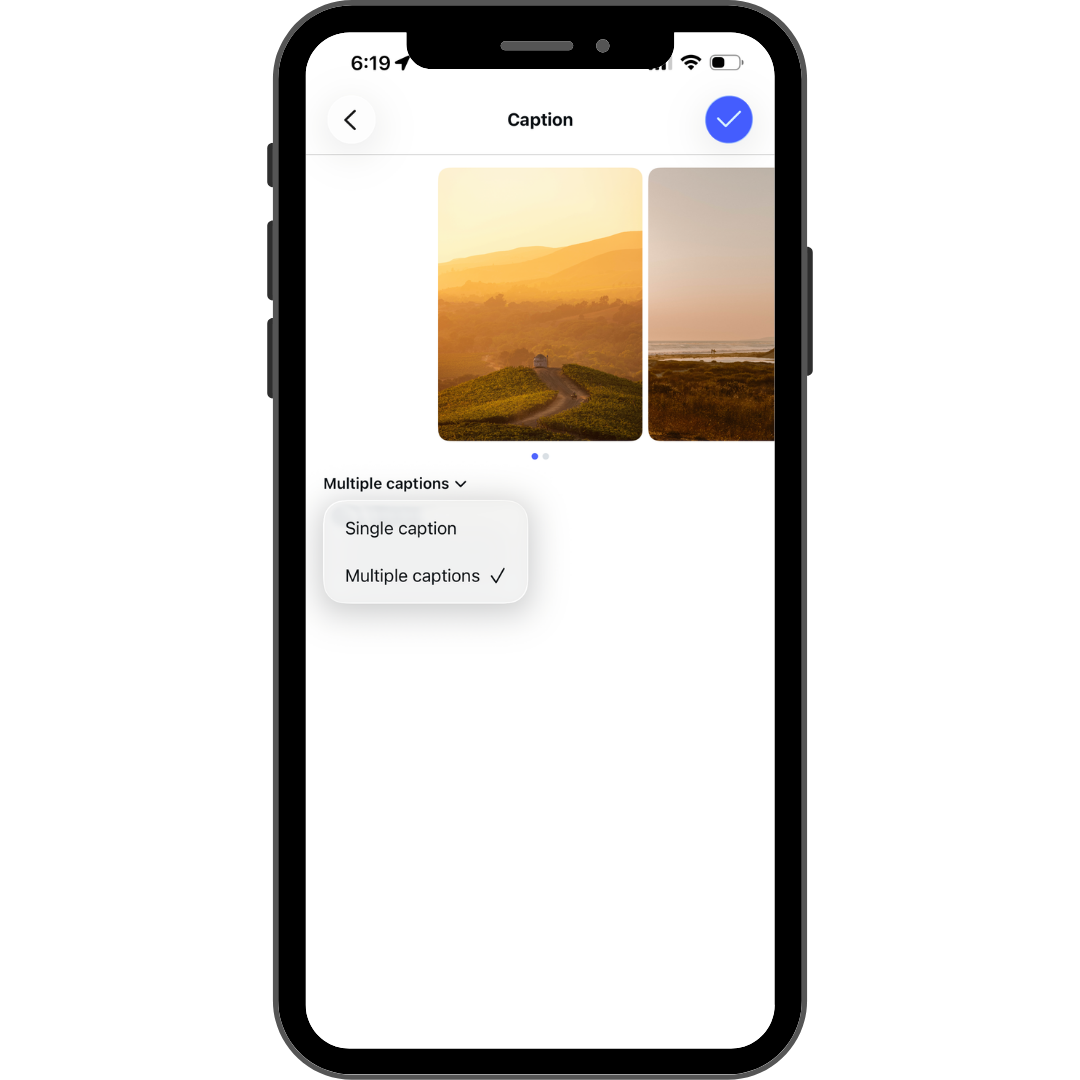
How to use it: Carousels are still one of the best formats for storytelling and engagement, particularly now, as I said above, with the addition of multiple captions. You can walk someone through a day in the vineyard, your current tasting flight, or the making of a wine, one slide at a time. You can also use it to share the details of upcoming events, like I did here with Bien Nacido Estate. Make sure your first two slides are your strongest, since Instagram gives you a second chance at a first impression.
Other things you can do on feed posts:
Add polls
Add music
Add a prompt
Tag collaborators so the post shows up on multiple profiles at once
Reels: For Reach
Reels remain the best way to get discovered by people who don’t already follow you. Instagram’s own recommendation algorithm leans heavily into video, plus with the Reels tab, there are literally twice as many ways to get discovered than you do with a carousel or single photo post.
This year, Instagram folded a lot of its standalone Edits app features directly into the main app, including a built-in teleprompter for recording scripted videos. If you’ve ever wanted to explain something on camera without rambling, this will help.
How to use it: Reels are perfect for behind-the-scenes farming content, quick explainer videos (”why we dry farm and what that means for you,” “what carbonic maceration actually means”), or just showing personality. Don’t worry, you don’t need to dance and point (unless you want to).
Also, don’t overthink production value here. The algorithm and the audience both reward native, in-app created content over polished videos or cross-posts from other platforms. If you want to up the production value of your videos by hiring someone like Evan Roscoe (who is awesome, btw), you absolutely can, but you can get away with iPhone videos, so long as the content itself is of high value. Keep Reels short: no more than 3 minutes (ideally less than 90 seconds).
Other things you can do on Reels:
Use the built-in teleprompter
Add trending audio (or your own voiceover)
Try a Trial Reel, which lets you test content with non-followers before deciding whether to share it to your whole audience (This is also a good hack to get a second life out of videos you’ve already posted)
Note: It’s okay to play with trending audio and concepts, but make sure you find a way to make the trend your own (like Foxen did here) and also make sure you hop on trends before they become overdone.
Stories: For Connection
Stories are my absolute favorite feature on Instagram (see this post, this post, this post, and this post for why I love them so much). They are one of the best ways to build relationships with people who already follow you, because they are where your most engaged audience shows up daily.
Interactive stickers (polls, questions, quizzes) on stories are excellent ways to farm engagement and help goose the algorithm if you need it. And stories are a great way to test content you aren’t ready to share more publicly, since they only last 24 hours (unless you save them to a highlight on your profile).
How to use it: Use Stories for the stuff that doesn’t need to (or shouldn’t) live forever, like harvest updates or limited-time promotions. You can even include a clickable link in your stories! Save the good ones to Highlights so new visitors to your profile can catch up (for highlights, I recommend following the menu items on your website, if you need some inspiration).
Other things you can do on Stories:
Add a countdown sticker for release dates or events (people can tap to set a reminder)
Add a link sticker so people can go straight from your Story to your website
Close Friends: For the VIPs
Close Friends lets you post Stories, Reels, and even short text “Notes” to a curated, private list of followers instead of your entire audience. Anything posted here shows up with a green ring instead of the usual orange/pink gradient, so your Close Friends list knows they’re getting something exclusive.
How to use it: You can use this feature for your wine club members, your top customers, or your most engaged followers to give them early access to new releases, a first look at a new label design, or just more candid, unfiltered content than what you normally post. A note on Close Friends though: it’s a very underused feature because it’s a bit of a haul to build the list. You have to manually add each person to your close friends list. If you have a small member list and request that they send you their Instagram handles when they become a member, you could do some really cool stuff with it, but it’s a lot of up-front labor, and you need to decide if it’s worth it. I did it for one of my clients when they had less than 500 Members (and only a fraction of them were on Instagram), and it was such a great way to give Members some extra love, but that ship has sailed now that they have over 2000 Members.
Broadcast Channels: The Newsletter You Didn’t Know You Needed
This is one of the more slept-on features for small businesses right now. A Broadcast Channel is kind of like a mailing list but directly in Instagram. Anytime you post an update, everyone who has opted in receives it directly in their DMs.
Unlike Stories, Reels, and Feed posts, which depend on Instagram’s elusive algorithm to decide who sees them, Broadcast Channel content shows up guaranteed, right alongside someone’s messages from friends and family. Subscribers can react and reply to your messages too, so it’s not purely one-directional anymore.
Any professional account (Business or Creator) can create one now, regardless of follower count, which wasn’t always the case.
How to use it:
To create your Broadcast Channel, go to your profile and tap the + in the upper left corner, then select “channel” from the drop-down menu.
To get people signed up for your Broadcast Channel, you’ll need to both add it to your profile (which you can do when you create it) and share it to your stories pretty regularly
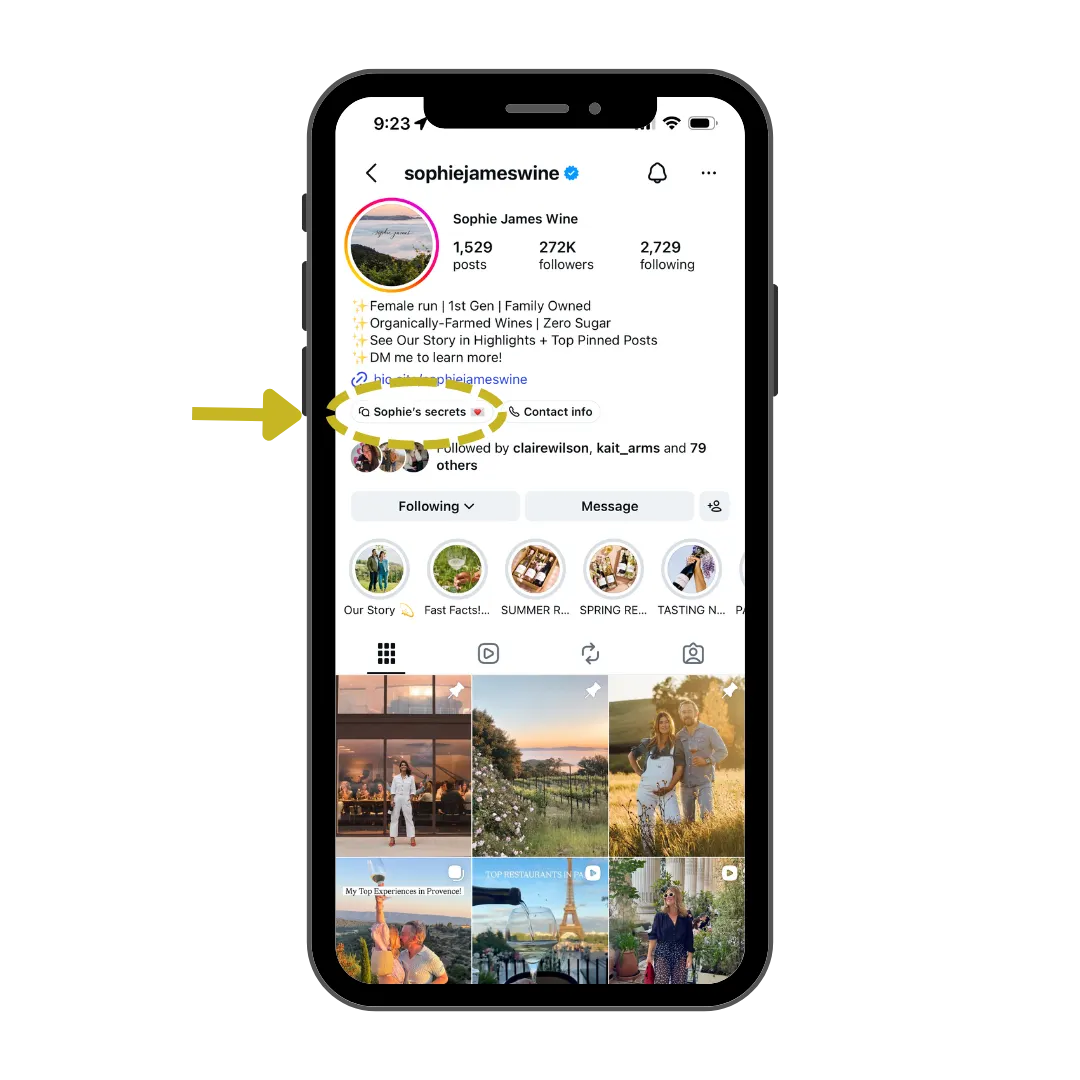
Important note: Like your email list, Broadcast Channels are Opt-In only, which means you don’t need to worry about spamming people. They can opt in and opt out at any time.
What to use it for: Use it for release announcements, event invites, or “here’s what’s up in the vineyard/winery this week” updates. The channels that work best deliver content people can’t get anywhere else on your account, so don’t just reuse your feed posts here. Also, Instagram’s algorithm has started treating an active Broadcast Channel as a signal that your account has a genuinely engaged audience, which can quietly boost your regular feed reach too.
Here are a few wineries I know of that are using Broadcast Channels:
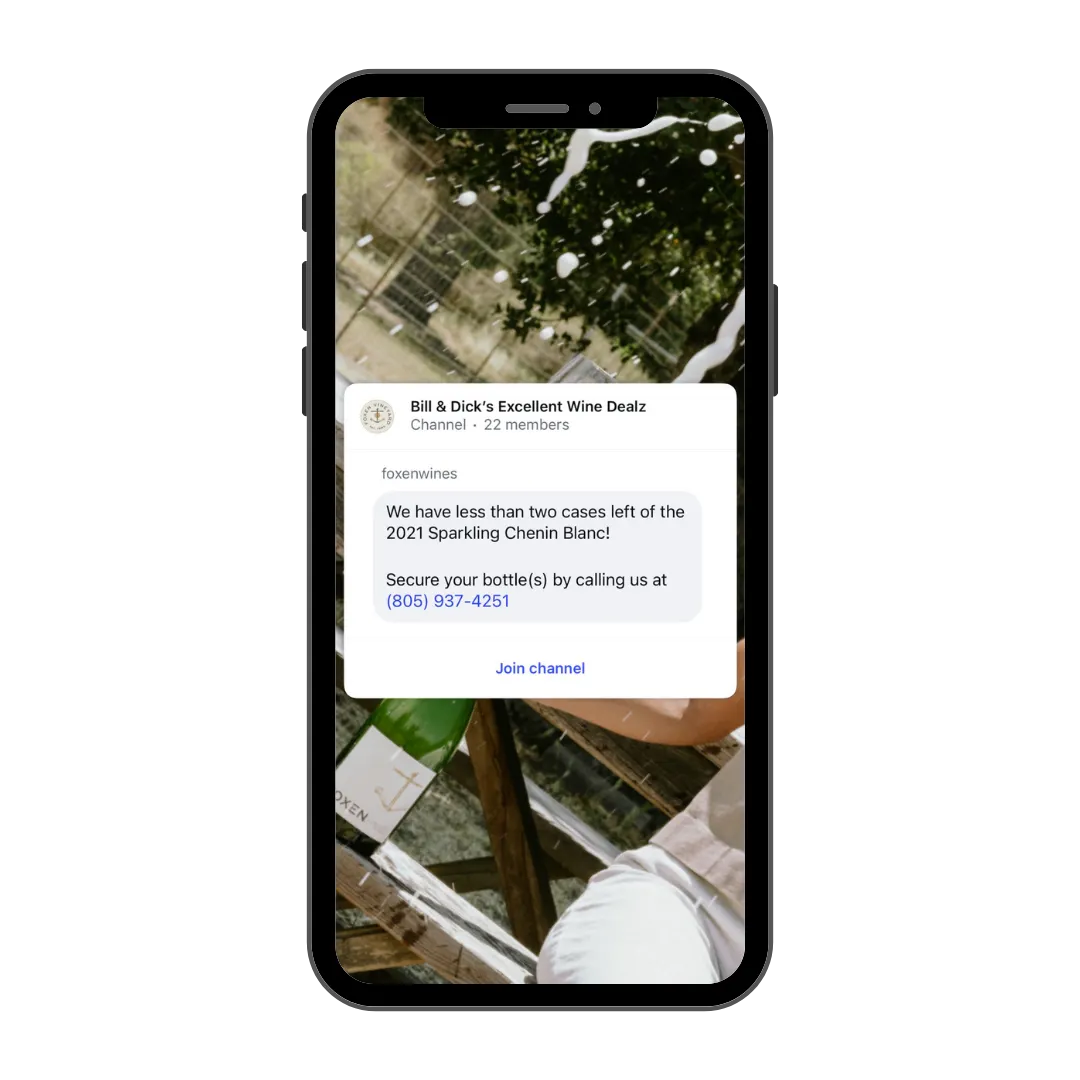
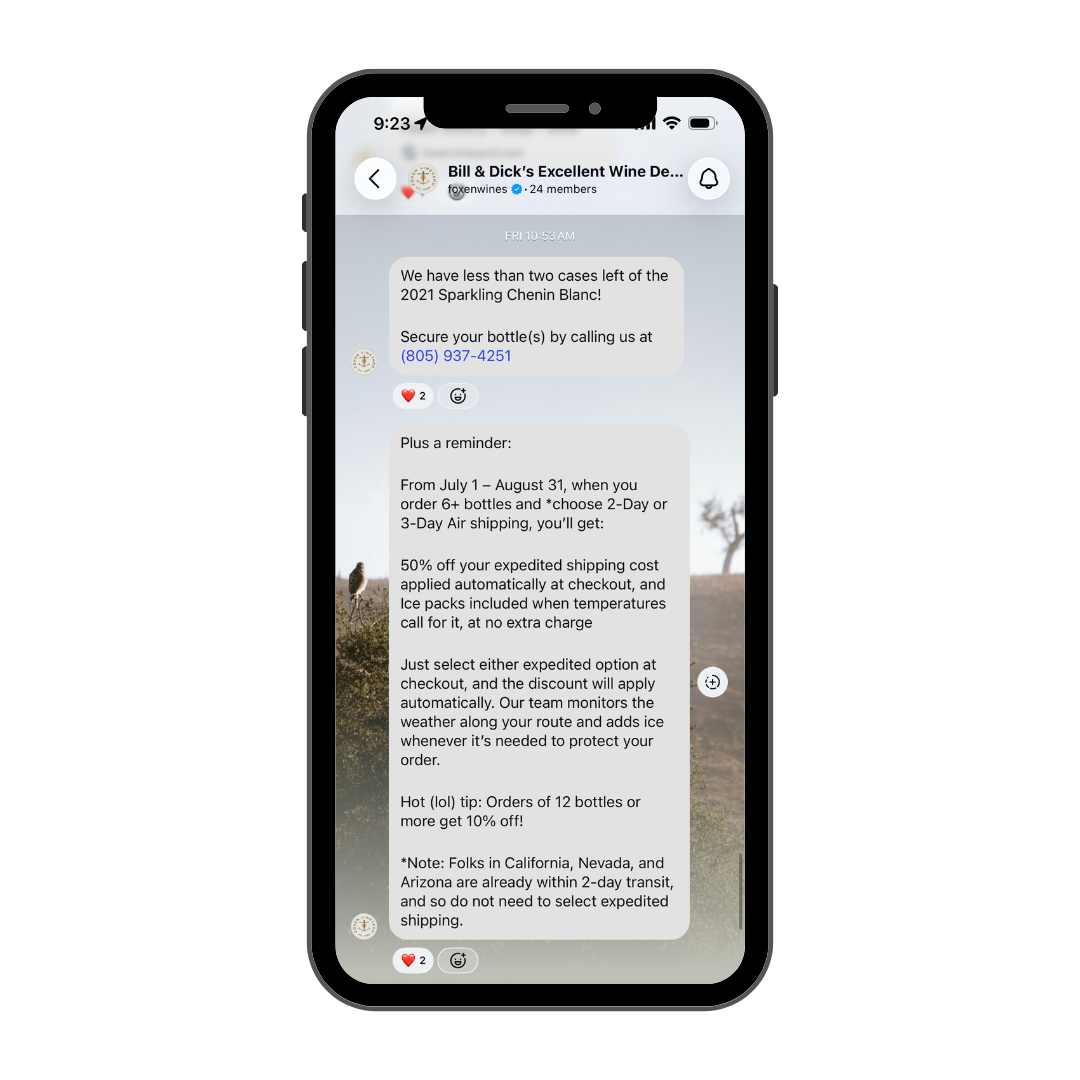
Foxen Winery uses theirs to share wine promotions, last calls, and things like that. They’ve named their Channel “Bill & Dick’s Excellent Wine Dealz”
Martha Stoumen also uses her Channel to share new wines, updates on what she is up to in the winery, and even what she’s having for dinner. It feels like more of a private conversation with her than anything else. She’s called it “Martha Unfiltered”
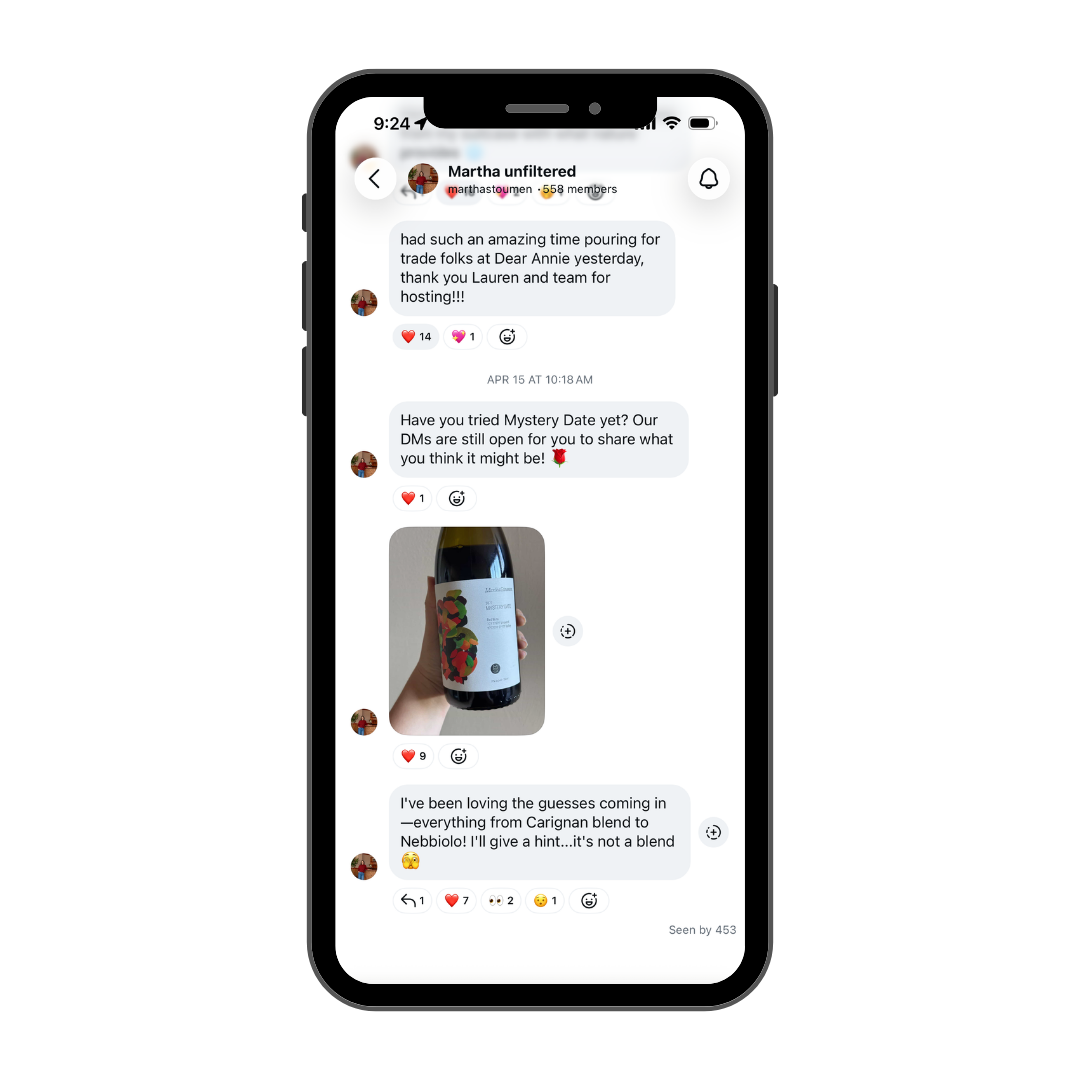
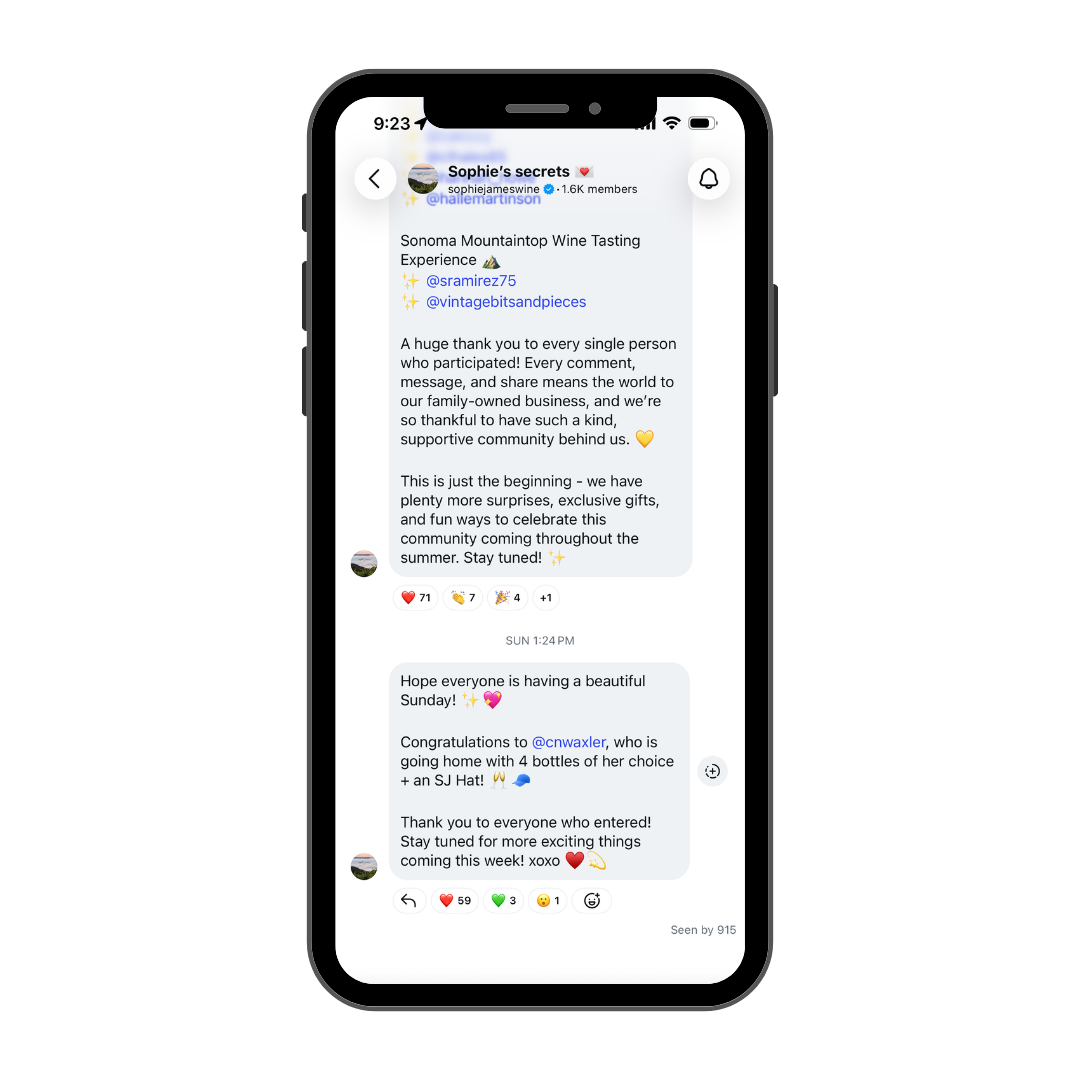
Sophie James uses her Channel to announce the winners of giveaways she does, I believe, on Instagram Stories. Hers is called “Sophie’s Secrets.”
DMs: For Customer Service
Direct Messages are a great place to not only have conversations for the fun of it but also to give really excellent customer service. Meta AI-powered message summaries are rolling out to help larger accounts manage volume, and features like saved replies and quick response templates make it easier to handle FAQ (shipping, tasting room hours, club details, whether or not you’re dog/kid friendly) efficiently.
How to use it: People increasingly prefer messaging a business over calling or emailing, especially younger consumers, so make sure someone on your team is checking this daily. I also like to use it to respond to comments privately if people have questions that need a little more detailing or nuance than we can get into publicly. AND you can send clickable links there. There’s even a program called ManyChat that allows you to automate this kind of thing. You can tell people to comment a keyword on an Instagram post, and when they do, ManyChat will automatically send them a DM with whatever you promised (a link to ticket sales, a recipe, whatever)
Collaborative Posts: For… Collaborating (Captain Obvious)
Collab posts let up to six accounts co-author a single feed post or Reel that shows up on all profiles, with combined likes and comments. It’s one of the simplest and most effective ways to reach someone else’s audience without any paid ad spend.
How to use it: This is a perfect, free tool for the exact kind of creator partnerships I’ve written about before. If you’re working with a food blogger, local restaurant, or complementary small business, a collaboration post means you both benefit from each other’s reach, instead of the content just living quietly on one account. I’ve seen wineries collab with other wineries through wine club shares or joint events.

Notes: Tiny Status Updates
Notes are short text updates (like a status) that appear at the top of your DM inbox thread, visible to whoever follows you (or just your Close Friends list, if you want).
How to use it: These are low-effort ways to drop quick updates: “Closing early today!” or “Rosé Almost Sold Out!” They disappear after 24 hours, so there’s zero pressure to make them fancy. I’m also intrigued by the idea of doing a secret Promo code that only people who check your notes can see. Over time, that might result in people checking your profile regularly 🤷🏻♀️
Live: For the Perpetually Online
Instagram Live lets you broadcast in real time, and you can now even go live exclusively for your Close Friends list if you want a more intimate setting. You can also go live with multiple other accounts.
How to use it: Live Q&As during harvest, a live pour-along during a virtual tasting, or, be like Tablas Creek, and do interviews with other people! Live content tends to feel the most human and unpolished, which, as we’ve discussed endlessly, is exactly what builds trust.
Instants: Also for the perpetually online
Meta also launched a standalone app called Instants this year (though it also lives in the Instagram DMs right now), designed for sharing raw, unedited, temporary photos, essentially a nod toward the more candid spirit that made BeReal briefly popular.
How to use it: This one’s very optional and experimental. If your winery’s audience skews younger, it might be worth keeping an eye on. For most wineries, I’d deprioritize this for now and focus on the core features above, but if you’re feeling wild, go for it. You can find these in your DMs. Just tap the + sign on the bottom right of the screen, and you can add a photo of whatever is in front of you right now. Like stories and notes, they only last for 24 hours. It could be an interesting way to show what you’re up to, or even do a very limited discount code for wine (just to see which of your followers are paying attention).
“Your Algorithm”: Letting Users Choose What They See
This year, Instagram expanded a feature called “Your Algorithm” that lets users manually set topic preferences for what shows up in their Reels, Explore, and now their main feed.
Why this matters for you: The clearer and more consistent your content is about what it’s actually about (wine, farming, sustainability, your region), the easier it is for Instagram to match you with people who’ve told the app they want to see exactly that. This is another reason to niche down in your content rather than trying to be everything to everyone. Note: this is also a great way for you to make using the app a more pleasant experience for yourself.
Meta Verified: For Peace of Mind
You can now pay to get your profile verified. This used to be reserved mostly for celebrities, journalists, and brands dealing with impersonation, but Meta opened it up to basically anyone willing to pay.
For individuals and creators, Meta Verified starts at $14.99/month. Business accounts get tiered pricing that starts around the same as the creator tier and scales up from there, with higher tiers unlocking things like priority support, impersonation monitoring for your staff, and better placement in search and Reels.
What you’re actually paying for: the blue checkmark, proactive impersonation protection, and faster access to a real human if something goes wrong with your account (anyone who’s ever been locked out of a business Instagram account during a release week knows exactly why this is invaluable).
How to use it: You’ll want to weigh this one against your own risk aversion, but personally, I think it’s worth it and recommend it to all of my clients. It’s a small price to pay for peace of mind. If you’ve dealt with impersonation before, or if losing access to your account for even a day would be a genuine business emergency (say, during harvest or a big release), the badge and the support alone might be worth the monthly fee (Meta is infamous for its lack of customer support but I’ve actually used the Customer Support through my Meta Verification and it brought my blood pressure down significantly). That said, if you’re a small winery that isn’t worried about impersonation and you feel like two-factor authentication is enough security for you, then don’t worry about it. It IS important to note that the badge itself doesn’t boost your reach; it’s mostly about trust signaling and account protection.
Instagram Plus and Subscriptions: Monetization Options
Instagram has rolled out subscription features and a broader “Instagram Plus” offering that includes creator perks and monetization tools. While this is more relevant to individual creators than most wine brands directly, it’s worth knowing about if you’re building relationships with creators for partnerships.
Where Should You Actually Focus?
I know this is a lot, and I don’t want you leaving this post thinking you need to be doing all of these things right away.
If I had to prioritize for a small winery just getting started or feeling overwhelmed, I’d say:
Stories (Daily-ish for a low-effort way to connect with your followers)
Reels & Carousels (Weekly)
Collaboration Posts (Monthly or more)
DMs (Daily)
Once those feel sustainable, add in Close Friends and/or a Broadcast Channel or post Reels more frequently. If you’re feeling brave, go live once a month.
P.S. Check out this article I wrote last year, “Wine Marketing for People Who Don’t Have the Time,” for some easy, actionable tips you can start right now if you are feeling overwhelmed.

And if you still feel like you need support, I offer both monthly social media consulting and one-off strategy sessions to help get you on the right track.
Instagram Profile Audit Opportunity
P.P.S Paid subscribers to The Wine Marketing Field Guide get the awesome perk of a free Instagram Profile Audit! If you’d like to take advantage of that, become a paid member today!
