


Another new year. Whether or not you believe time is real, most people use January 1st (or 2nd, as the case may be), to do a bit of reflecting and forward thinking. What worked last year? What do we want to leave behind? What do we want to carry forward? All are questions we ask ourselves in the week or so leading up to the ball dropping at midnight.
For me, as a social media manager, this looks like going into my clients’ analytics and seeing what posts performed the best and what posts performed the worst. (By the way, “performed” is subjective to your goals. A post may have had really shitty engagement, for example, but have the highest number of external link clicks of any of your other posts. If your goal for that post was to drive link clicks, then that post was a success.)
So, today’s 5-Minute task is to go through your insights on Instagram (or whatever platform you want to double down on in the new year) and look at what posts have performed well in each category you find valuable. Here are some metrics I personally like to pay attention to for my clients on Instagram:
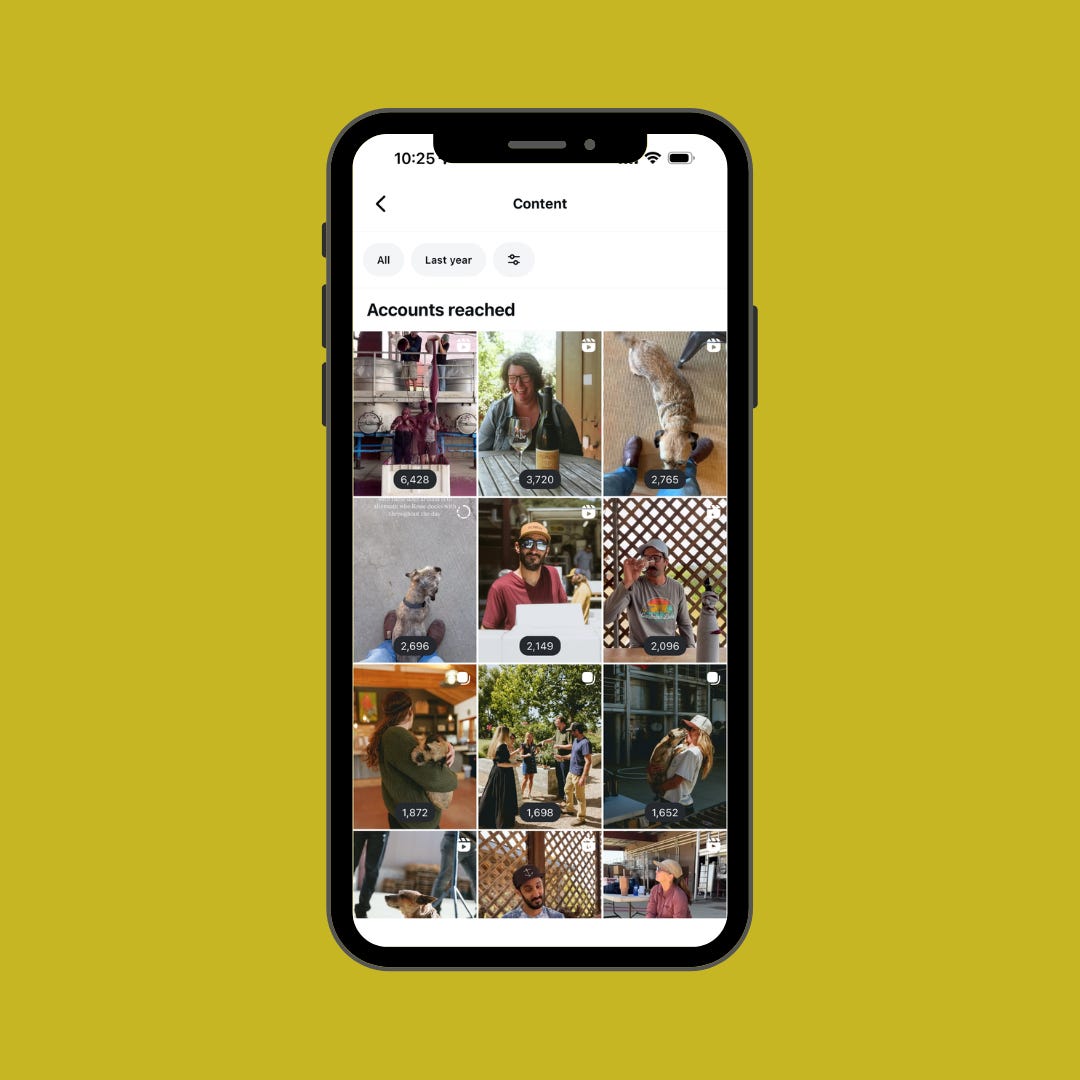
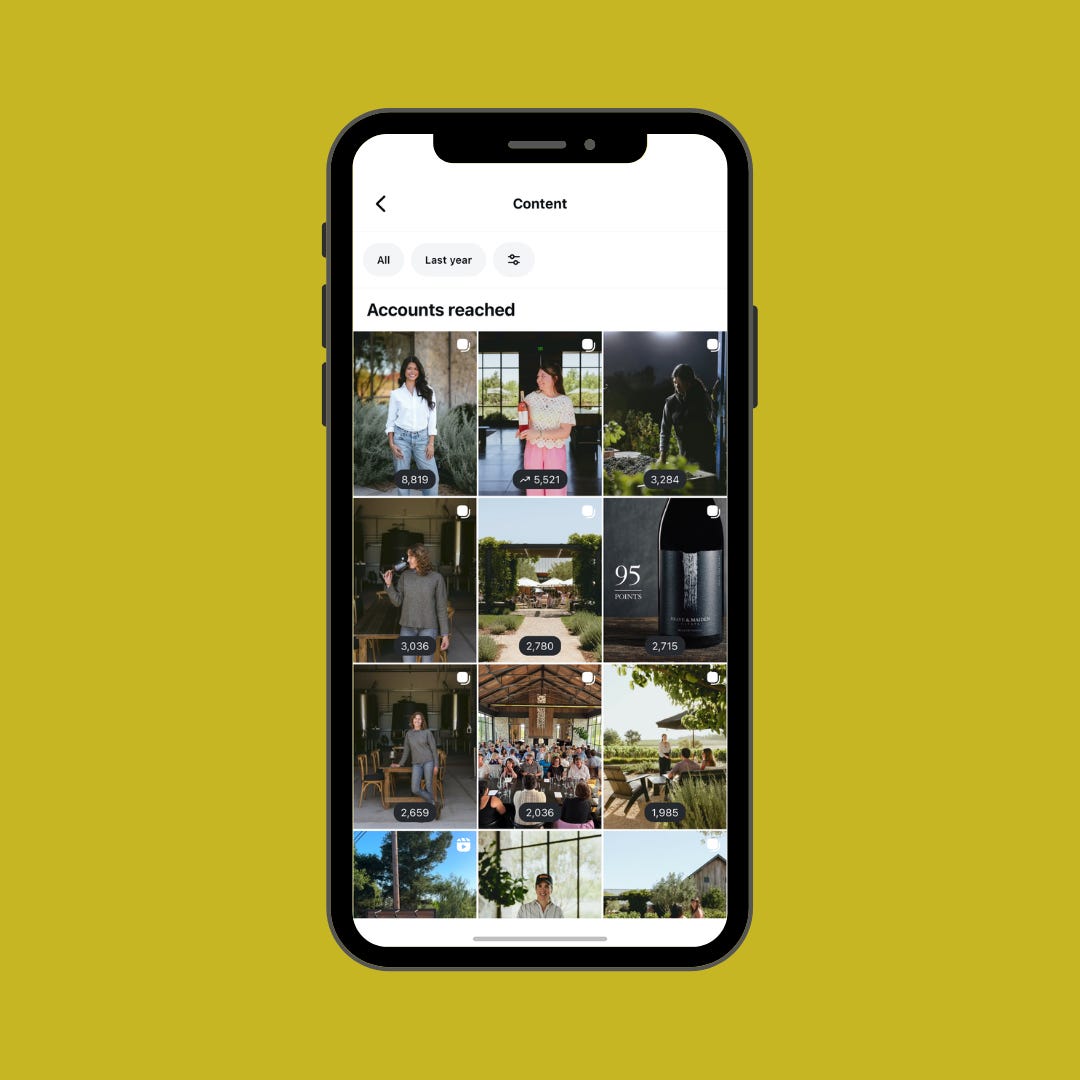
Accounts Reached/Reach
Post Interactions
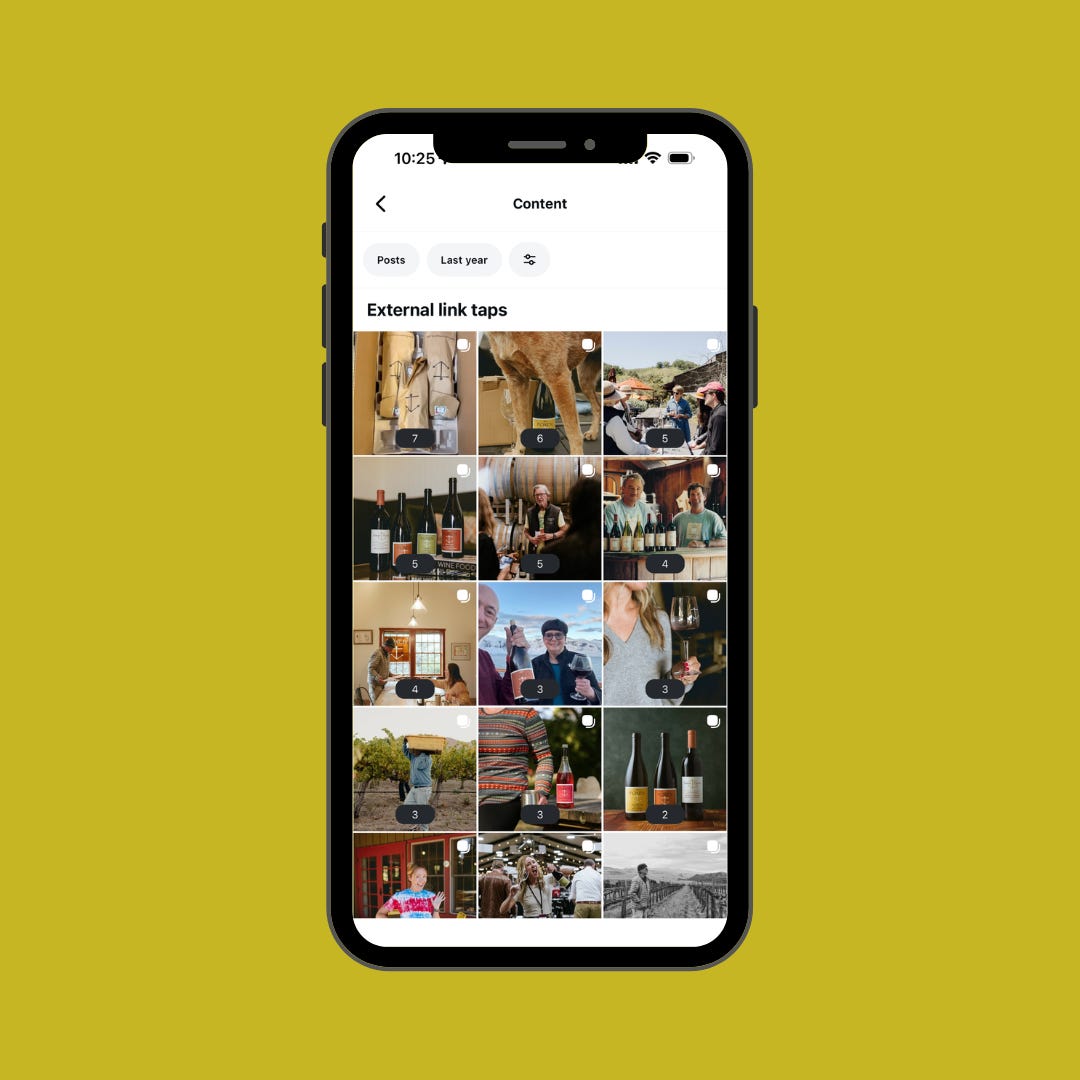
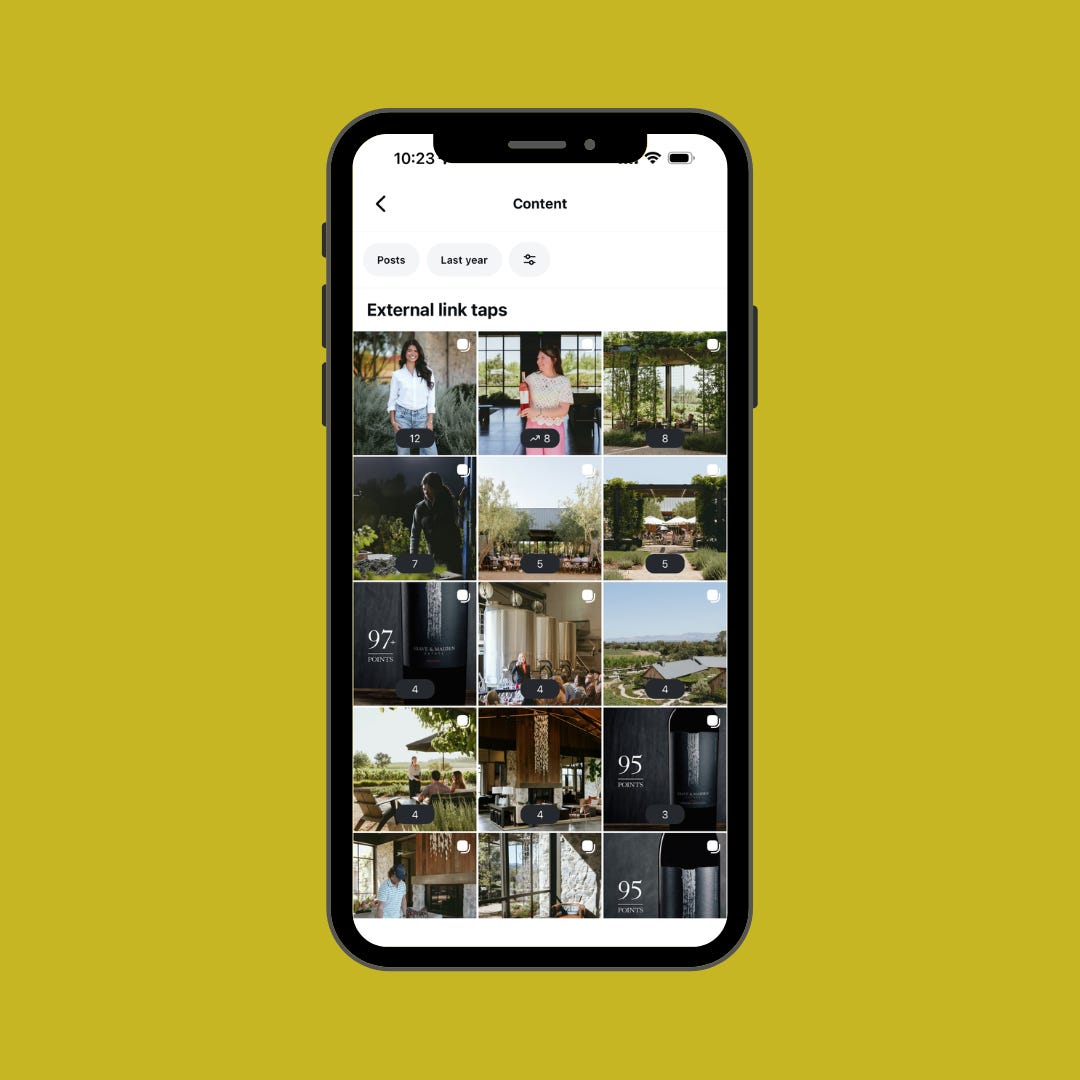
External Link Taps
You may also want to look at Follows, Comments, Shares, and Views, but I find the above three the most important to my clients’ goals in general.
How to view your insights/analytics on Instagram
From your profile, tap the sandwich in the upper-right corner.
Tap “Insights” in the drop-down
menu.
To look at specific content you shared last year, tap “Content You Shared.”
From here, you can control the data range, like time and what metric you want to look at. I recommend looking at data from the last year or even the last two years to really get an idea of what’s worked long term.
Note: Some metrics aren’t available for all post types. For regular posts (like carousels and single photos), reels, and stories, you can see Views, Accounts Reached, Follows, and Shares. But, for some reason, you can only view External Link Taps and Profile visits on regular posts. You can see Interactions for Reels and Regular posts, but only if you look at those media types specifically, so you’ll have to do a bit of cross-referencing. It’s the bane of my existence when I do my analytics reports every month.
Highest Reach
Reach is the number of individual accounts that have seen a post. This is an important metric for just about any goal you have, but it’s especially important if your goal is brand awareness, because it shows which posts and post types (carousel, photo, or Reel) got out in front of the most (or least) number of people.
I like to view this one both in isolation and in comparison to the number of interactions a post has had, so I can really understand how well it has performed. Obviously, if a post got way higher reach than other posts, you’ll want to ask yourself why and see if you can replicate that. Was it the media type? The content itself? Did it get a lot of shares? Did you add music?
Most Interactions
Although engagement (likes, comments, saves, and shares) isn’t the most important metric, it is still a helpful indicator for how well a post was recieved by the folks that have seen it. If you want to go a level deeper, you can also look at most comments and most shares as two individual engagements that are most impactful. To me, it matters less how many “likes” a post has because that’s the lowest hanging fruit. I have found that posts that get a lot of shares and comments often have the most reach and overall interactions.


External Link Clicks
A lot of wineries express that online wine sales are an important goal, so it stands to reason that we want to also look at link clicks as a metric. Please note, though, that unfortunately, we can only track link clicks connected to regular posts like carousels and photos, as Reels don’t give us that data at this time. So, if you have a Reels-heavy strategy, then you might not get the data you want. That said, I’d still recommend looking at it because it can be enlightening.
If you’re feeling extra
So now that you have this information, what can you do with it? If you’d like to take an additional five minutes, I’d recommend taking the top performing post across a single category (or, if you’re like Brave & Maiden and find that the top performing post is the same across the categories, use that one), and trying to recreate it.
Your audience has given you valuable information about what they want to see. Listen to them!
Do you know what else takes five minutes or less? Buying me a beverage! Thank you for supporting my work here!
Definitely what I'll be doing this month!